Broadcast or Boardroom
Everything on this page lives on the TV tab of the Admin, which also shows a silent preview of the board as your plan shows it. Pick a look under Style:
| Topic | Broadcast | Boardroom |
|---|---|---|
| What it is | A live 3D sports broadcast that rotates through scenes. | A calm dashboard drawn in plain HTML and SVG. |
| Leaderboard | One scene among several. | Always on screen, 10 reps a page. |
| New wins | Take over the screen by default. | A small card by default, or a calm spotlight. |
| Starting sound | Gong | Chime |
| Needs | WebGL 2, which current browsers have. | Any current browser. |
If a screen can't run WebGL 2, or the 3D board fails to start, GoalHorn shows Boardroom instead, so older smart TVs still get a working board.
Switching style moves the celebration level and sound to that style's defaults, unless you've picked them yourself. Your own choices carry over.
Broadcast scenes
The TV rotates through the scenes you switch on under Scenes, 15 seconds each unless you change Seconds per scene (8 to 60). At least one scene stays on. A Full celebration interrupts the rotation, and an interrupted Replay picks up where it left off.
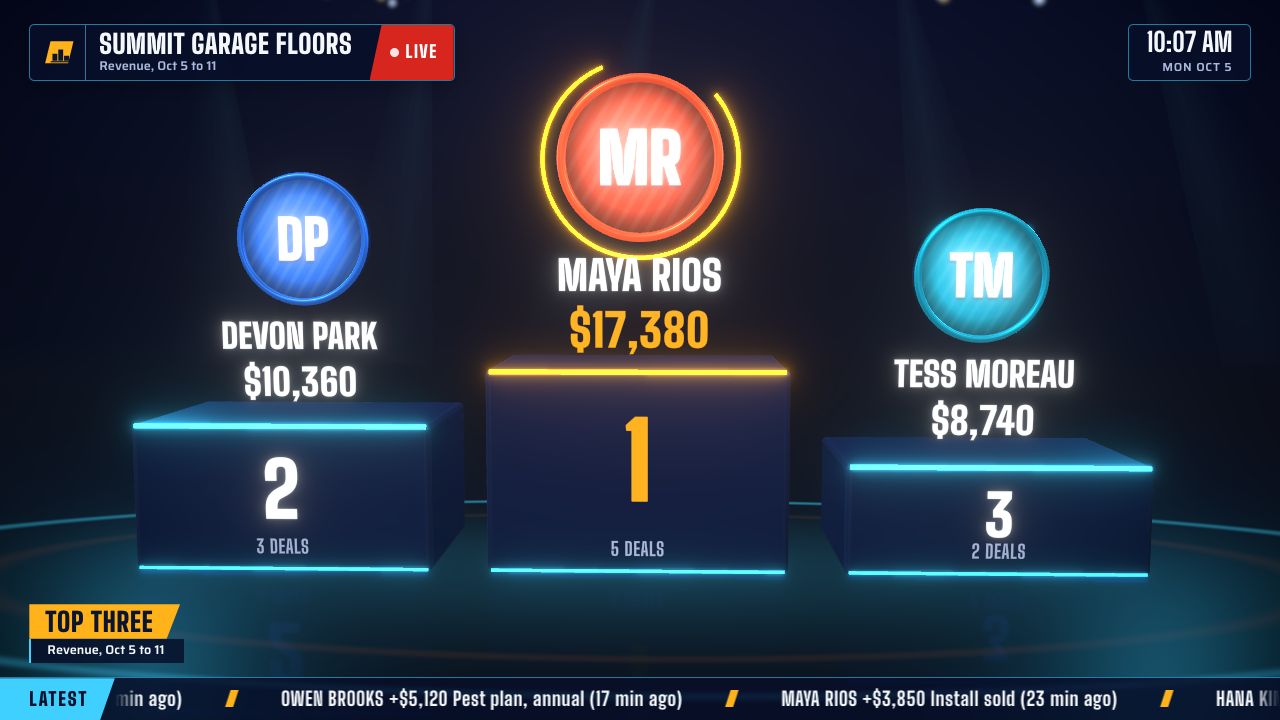
Podium
Called Top three on the TV. The top three on a lit podium, with a camera move and a light sweep. Every plan.
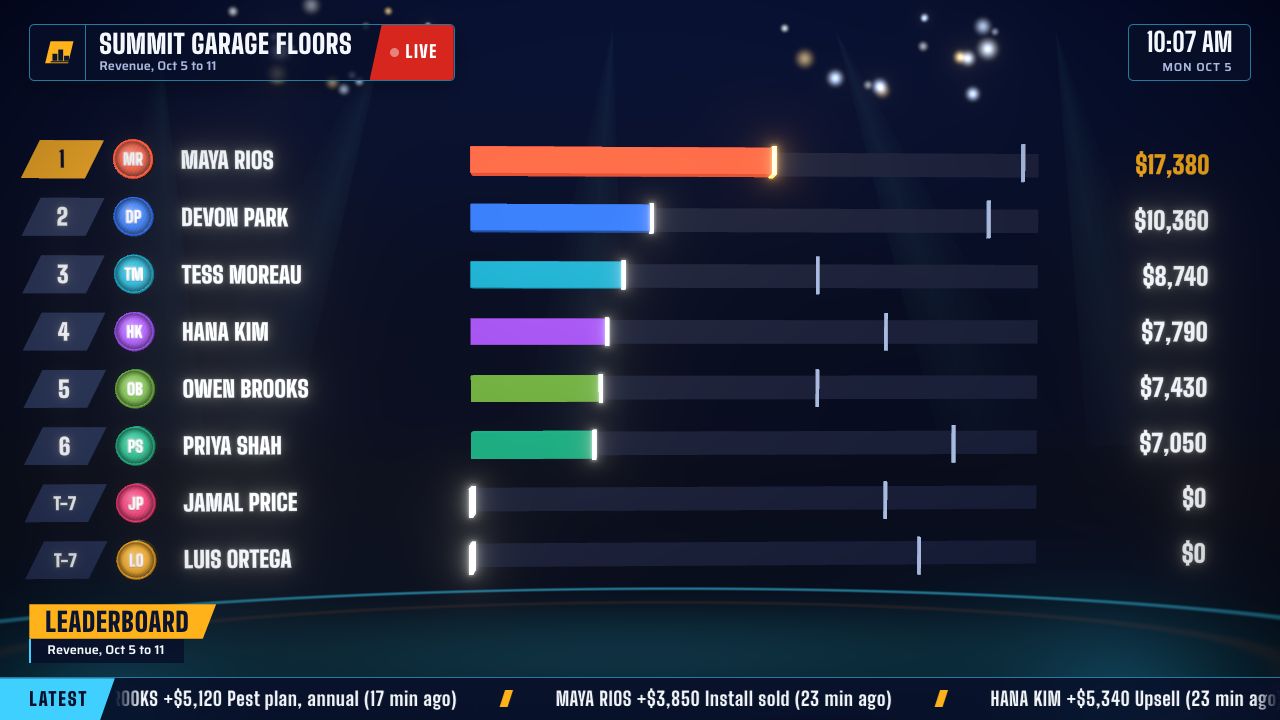
Leaderboard race
Every rep as a bar. Totals count up, and rows trade places when someone passes. Rep goals show as markers on the bars, and with seven reps or fewer on screen, each rep's team and second number sit under the name. Ten reps fit on a page; more pages add time. Every plan.
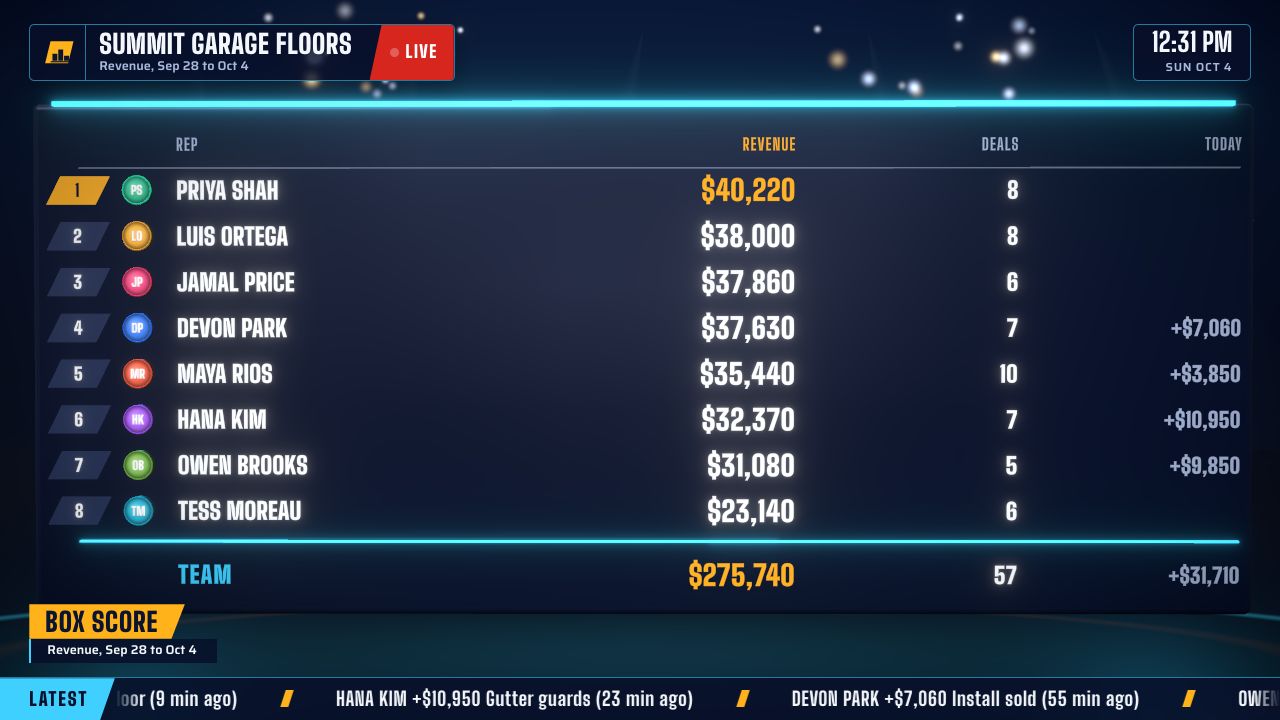
Box score
Every rep's numbers as a broadcast stat sheet: the main number, the second number and wins, a column for today, and a team line. On a profit board it's a P&L by rep. Team and Floor.
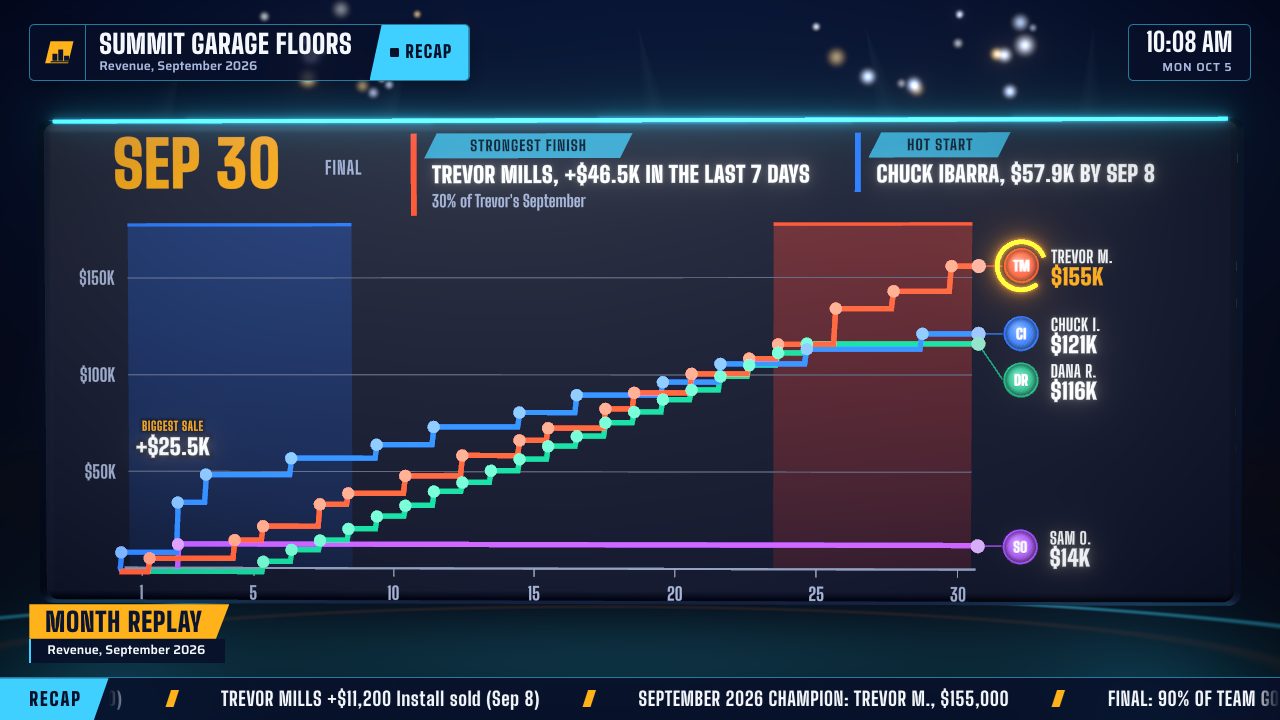
Replay
The period day by day as a line race (hour by hour on a Today board). A playhead sweeps across, each sale pops, lead changes flash, and it holds on the final standings with the strongest finish and the hot start. About 20 seconds for a finished period. It needs one row per win, and is skipped otherwise. Team and Floor.
Team goal
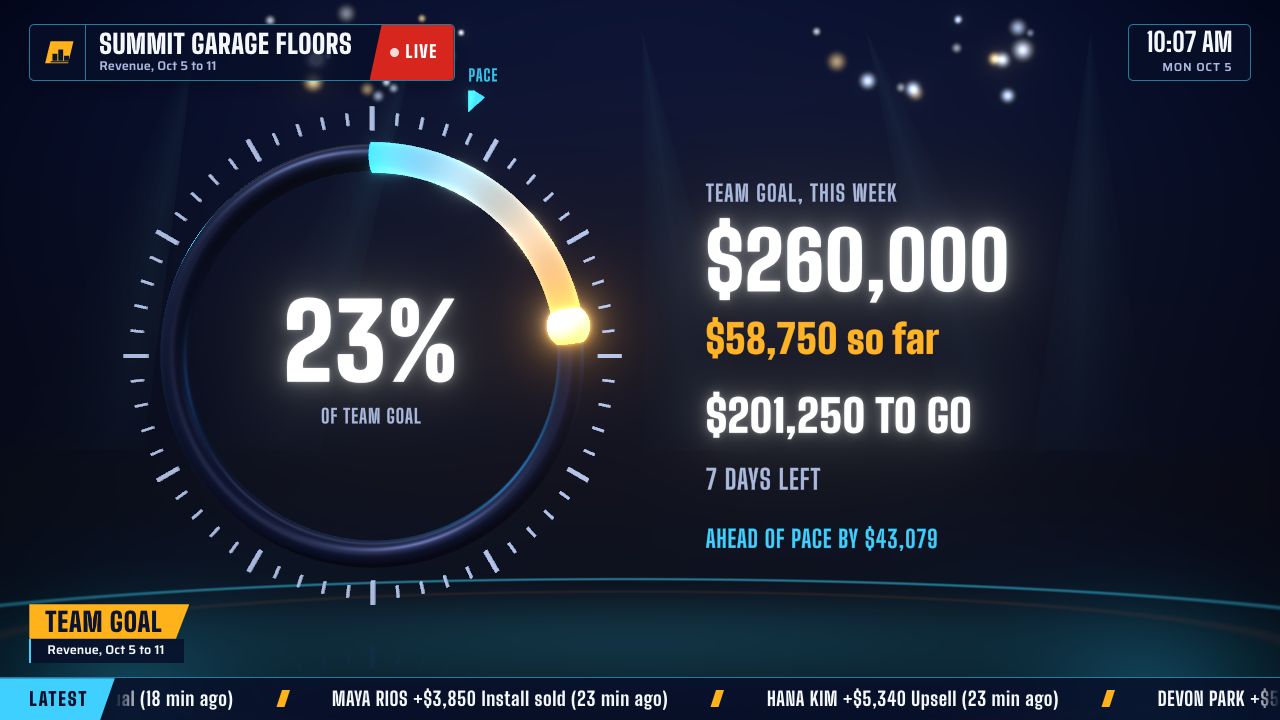
A ring gauge that fills toward the team goal, with a pace marker, the amount to go and the days left. Every plan.
Recent wins
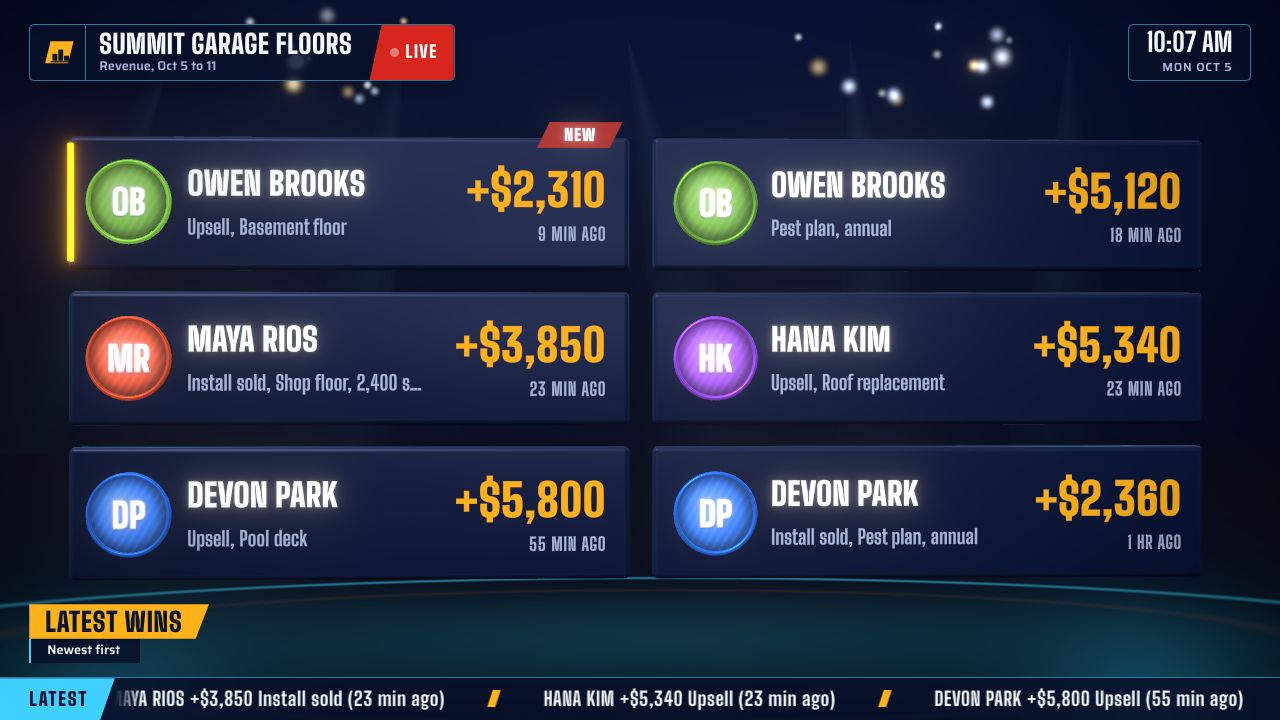
Called Latest wins on the TV. The newest wins fly in as cards with the rep, the amount and how long ago. On a recap board, the period's biggest wins. Team and Floor.
KPI tiles
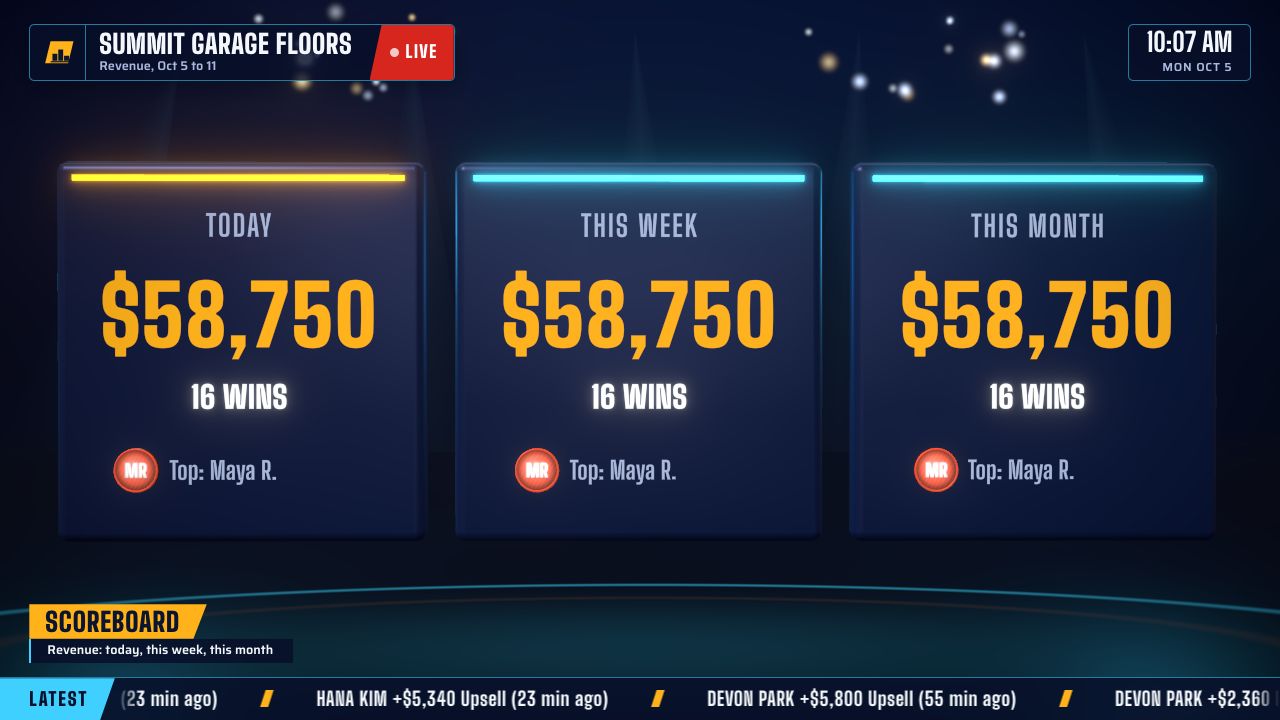
Called Scoreboard on the TV. Tiles for today, this week and this month, each with its top rep. With one row per rep in the sheet: team total, team goal and how many reps are on the board. Team and Floor.
Boardroom panels
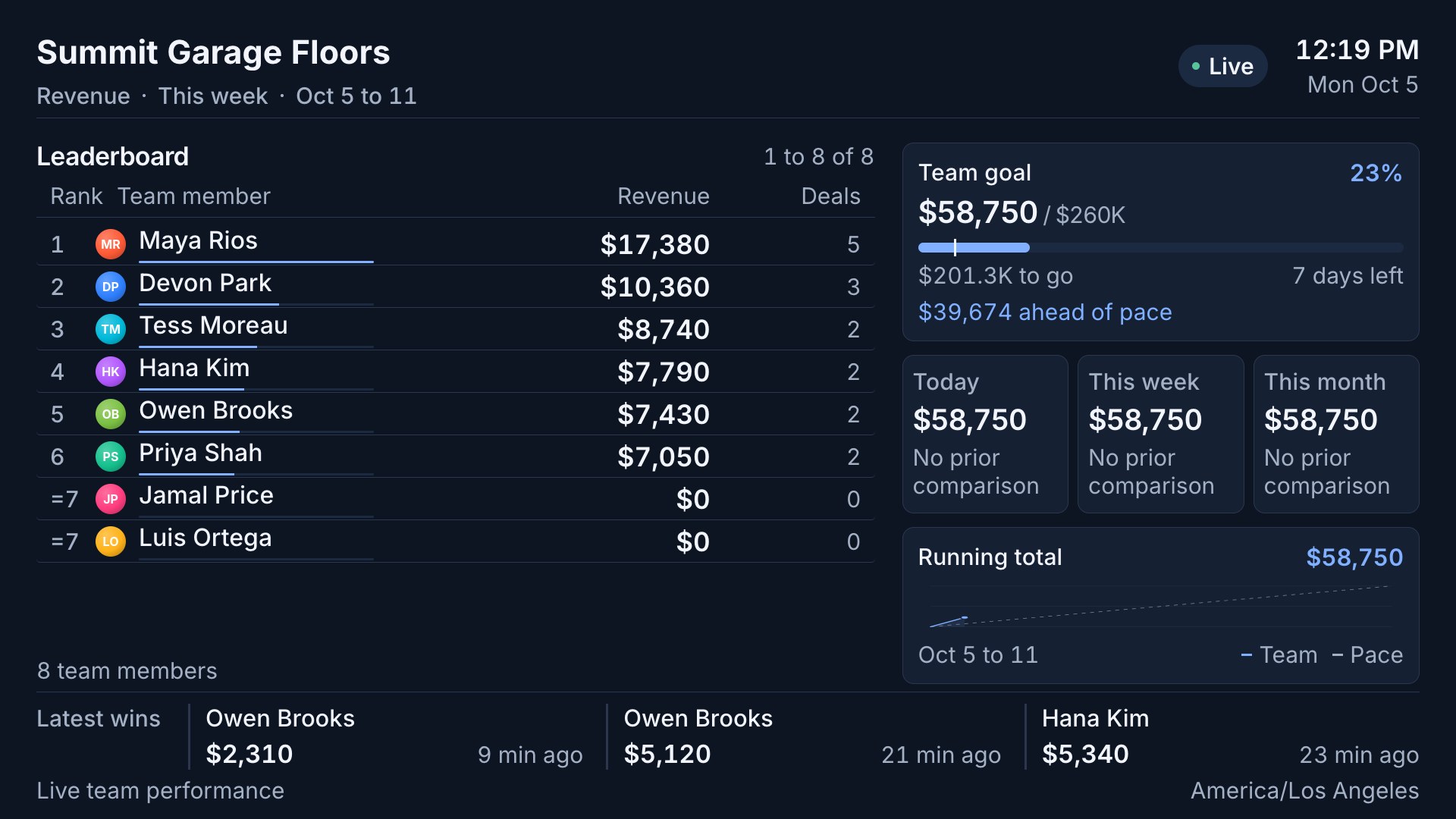
Boardroom keeps the leaderboard on screen at all times, 10 reps a page, turning the page every ten seconds; the arrow keys turn pages by hand. Next to it, switch on the panels you want under Panels:
- Team goal: the goal bar with pace, the amount to go and the days left. Needs a team goal. Every plan.
- KPI tiles: today, this week and this month, each compared with the same point of the period before, such as +12% vs prior. Team and Floor.
- Running total: the team's total across the period as a chart, with a pace line when there's a goal. Needs one row per win. Team and Floor.
- Latest wins: the three newest wins along the bottom. Needs one row per win. Team and Floor.
The header shows the board name or your logo, the metric and period, the status and the clock.
Themes and palettes
Broadcast has five themes:
- Arena: a night game in navy with cyan light. Every plan.
- Daylight: a bright office look. Team and Floor.
- Gold: black and gold. Team and Floor.
- Circuit: deep teal with lime and cyan. Team and Floor.
- Showroom: a car dealership showroom, with a polished floor under long ceiling lights, chrome and red. The car dealership setup picks it. Team and Floor.
Boardroom has two palettes: Slate, dark, on every plan, and Paper, light, on Team and Floor.
On Free, a board set to a paid theme or palette shows Arena or Slate on the TV. Your choice is kept and comes back when you upgrade.
Celebrations
Celebration level sets what happens on each new win:
- Full: on Broadcast the win takes over the screen, with a camera swoop, the rep's name in big 3D letters, the amount counting up, confetti and the sound. On Boardroom it's a calm spotlight card.
- Subtle: on Broadcast a banner over the current scene; on Boardroom the rep's row lights up and a small card appears.
- Off: the numbers update with no alert and no sound.
Each celebration names the rep and the amount, with a headline (the win's label, or Deal closed, Appointment set or New win) and a line about the standings, such as Takes the lead this week or Up to 2nd this month, $1,200 behind Maya R. Wins that land together queue up and play one after another.
Every plan has all three levels.
Quiet hours
- Turn on Enable quiet hours.
- Set From and To, for example 18:00 to 08:00. Ranges that cross midnight work.
- If you like, turn on Quiet all weekend (Saturday and Sunday).
During quiet hours the sound is muted and Full celebrations play as Subtle; the board keeps updating. The times follow the board's time zone. Setting From and To to the same time turns off the daily quiet window, while the weekend switch still applies. Quiet hours are on every plan.
Celebration sounds
- Gong, Bell and Chime: every plan. Broadcast boards start on the Gong and Boardroom boards on the Chime.
- Air horn and Cash register: Team and Floor.
- Your sound: Floor. Upload your own clip.
The built-in sounds are made by the browser itself, so there are no files to load. Picking one plays it once. Set the Volume, turn on Mute, or press Play the sound to hear the current choice.
Your own sound (Floor)
- Choose Your sound, then Upload a sound: an MP3, WAV or OGG file under 3 MB. A few seconds is plenty; the TV plays up to 8 seconds.
- Uploads are stored in this browser. For TVs in other browsers, also paste an https link to the MP3 under Or a sound link for TVs in other browsers. The site hosting it must allow browsers to fetch it (CORS).
If a TV can't load your sound, it plays the gong.
Browsers don't play sound until someone clicks the page, which is why the TV has a Start the board button. See Put the board on a TV.
Your logo and accent color
The brand kit is on Team and Floor.
- Accent color: used for the board's highlights. If a shade would make text hard to read, the board adjusts it.
- Upload a logo: a PNG, JPEG, WebP, GIF or AVIF image under 4 MB. It keeps its proportions and transparency, and replaces the GoalHorn mark in the corner of Broadcast and the board name at the top of Boardroom. Uploads are stored in this browser.
- Logo image link: a public https image address, for TVs in other browsers. If it can't load, the TV shows the board name.
On Free the brand kit is locked, and branding you saved earlier comes back when you upgrade.
Performance
Broadcast only. Under Render quality:
- Automatic (the default): starts in full quality and switches to TV stick mode if the frame rate stays under 26 frames a second.
- Full quality: glow, a reflective floor, up to 1,400 pieces of confetti, and up to 4K sharpness on a 4K TV.
- TV stick: no glow or reflections, 260 pieces of confetti and 1080p, for Fire TV Stick and Chromecast class devices.
Boardroom is light enough for any screen and has no quality setting.
Take turns between two numbers
On Floor, turn on Alternate the ranking between the main and second number (under Scenes or Panels) to rank by revenue on one pass and deals on the next. Broadcast switches after each full round of scenes; Boardroom switches every Seconds per metric. The board needs a second number, set on the Board page.
Questions
Which style should I pick?
Broadcast for a sales floor that should cheer every win: it rotates scenes and takes over the screen. Boardroom for an office that wants the standings visible all day with quieter alerts. You can switch at any time on the TV tab.
Why does my TV show Boardroom when I picked Broadcast?
The TV's browser can't run WebGL 2, which Broadcast's 3D scenes need, so GoalHorn switched to Boardroom to keep the board on screen. A mini PC or a newer streaming device runs Broadcast.
Why is a scene or sound grayed out?
It comes with a paid plan: Team unlocks every scene, theme and built-in sound, and Floor adds your own sound. Free shows the Podium, Leaderboard race and Team goal for up to 5 reps.
Need more help? Contact info@goalhorn.tv.