Free
$0
Try it on one screen.
- 1 board, up to 5 reps
- Podium, race and team goal scenes
- A celebration for every win
- Arena theme, gong and bell
- A small GoalHorn mark on the TV
GoalHorn puts your sales floor on the office TV as a live sports broadcast. The standings, the goal and the pace rotate on their own, and the second a deal closes the screen cuts to that rep: name in lights, confetti, and the gong.
Live in five minutes from the CRM you already use. One flat price for the whole floor.
Free for up to 5 reps. No account, nothing to install.
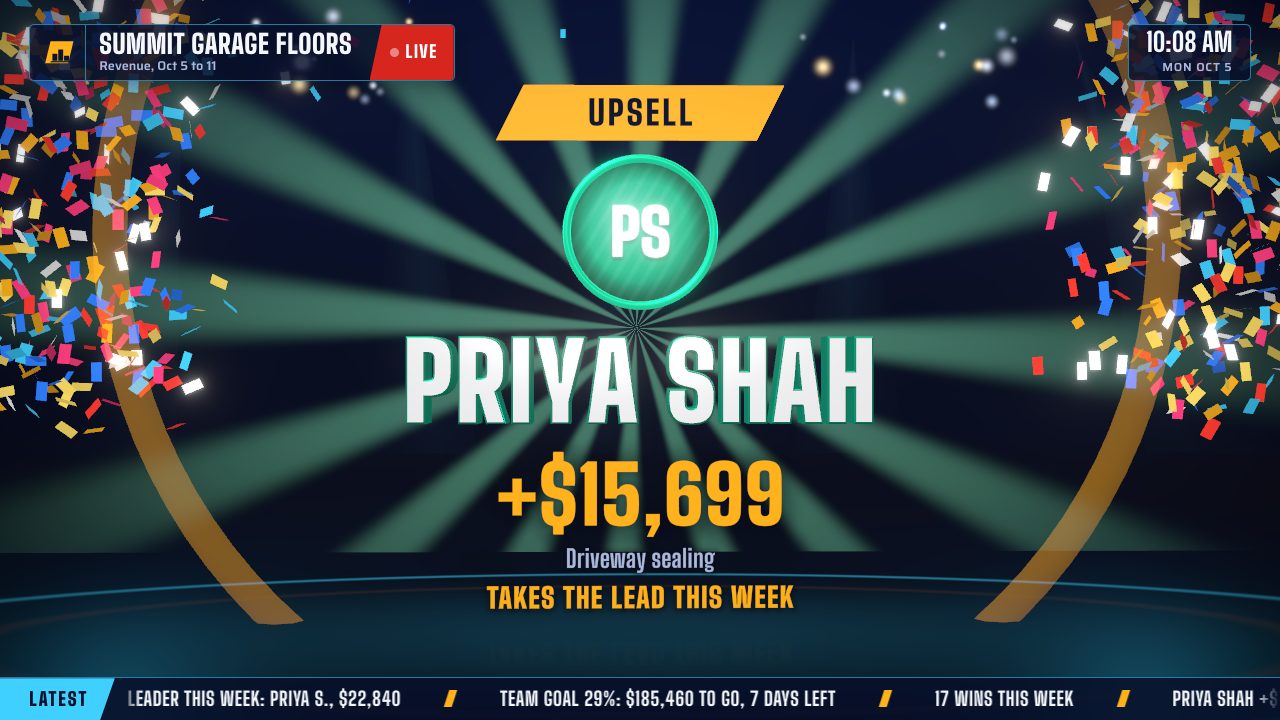
Simulated reps and wins. Every frame is drawn live in your browser, no video.
A dashboard on the wall shows the numbers, and by the second week nobody looks up. GoalHorn is programmed like live TV, so the screen keeps earning the room's attention and the floor keeps playing for it.
Podium, leaderboard race, team goal, latest wins and the scoreboard rotate every 15 seconds, so there is always a new angle on who is winning.
A new win interrupts the rundown with that rep's moment: name in 3D letters, the amount counting up, a sound you pick. Several at once queue up and play in turn.
The Replay races the period back day by day in about 20 seconds and names the strongest finish and the hot start.
How the usual options stack up for a 15-rep floor:
| Option | Setup | Cost for 15 reps | Celebrates the close | Gets data from the CRM |
|---|---|---|---|---|
| Whiteboard | Minutes | A marker | When someone remembers | No, by hand |
| Spreadsheet on a screen | An afternoon | Free | No | Copy and paste |
| TV dashboard tool | An afternoon, plus a PC for the TV | $79 to $399 a month | On the top plans, for some CRMs | Direct integrations |
| Gamification suite | Hours to weeks, often with an onboarding call | $135 to $675 a month ($9 to $45 per rep) | Yes, with video clips | Native CRM integrations |
| GoalHorn | Five minutes, on the TV you have | $49 a month, flat | Every win, on every plan | Any CRM, through a Google Sheet |
No account to create and nothing to install. Set the board up in your browser, then open its link on the TV.
Names and teams, photos if you have them, and goals for each rep and the whole team.
Paste a Google Sheet your CRM fills through Zapier or Make, let reps log wins with a Google Form on their phones, or tap + Win on the computer that runs the TV.
Open the TV link in any browser on the screen. One click turns on sound, full screen and keep-awake.
No integration to buy. If your CRM can add a row to a Google Sheet, it can run the board, and Zapier or Make can do that for nearly every CRM.
timestamp, rep, amount, note, or start from the free template.That covers HubSpot, Salesforce, Pipedrive, Zoho CRM, Close, Copper, monday.com, AccuLynx, JobNimbus, Jobber and Follow Up Boss. GoHighLevel workflows can add the row themselves.
Shared sheet links are read every 30 seconds. Sheets published to the web can lag a few minutes because Google caches them. One row per rep with running totals works too.
timestamp,rep,amount,note
2026-10-02 09:14,Maya Rios,4250,Garage floor
2026-10-02 10:02,Devon Park,1890,Patio
Nothing to mount, pair or install. The board runs in the screen's own browser and looks after itself.
Setting one up for the first time? Read how to set up a live sales TV dashboard, including which TV hardware works.
A smart TV, a streaming stick or a mini PC on HDMI. TV stick mode keeps cheaper devices smooth.
Press Start once. The board goes full screen, turns on sound and keeps the screen awake.
Broadcast type that stays sharp on a 4K screen, in three looks for bright offices and dark rooms.
One link runs the board on every TV in the office and on reps' phones, with no logins and no fee per screen.
A status chip shows live, stale or offline, and the board keeps retrying on its own.
Six scenes rotate on their own, about 15 seconds each. A new win cuts in with a celebration, then the race shows who just moved up.
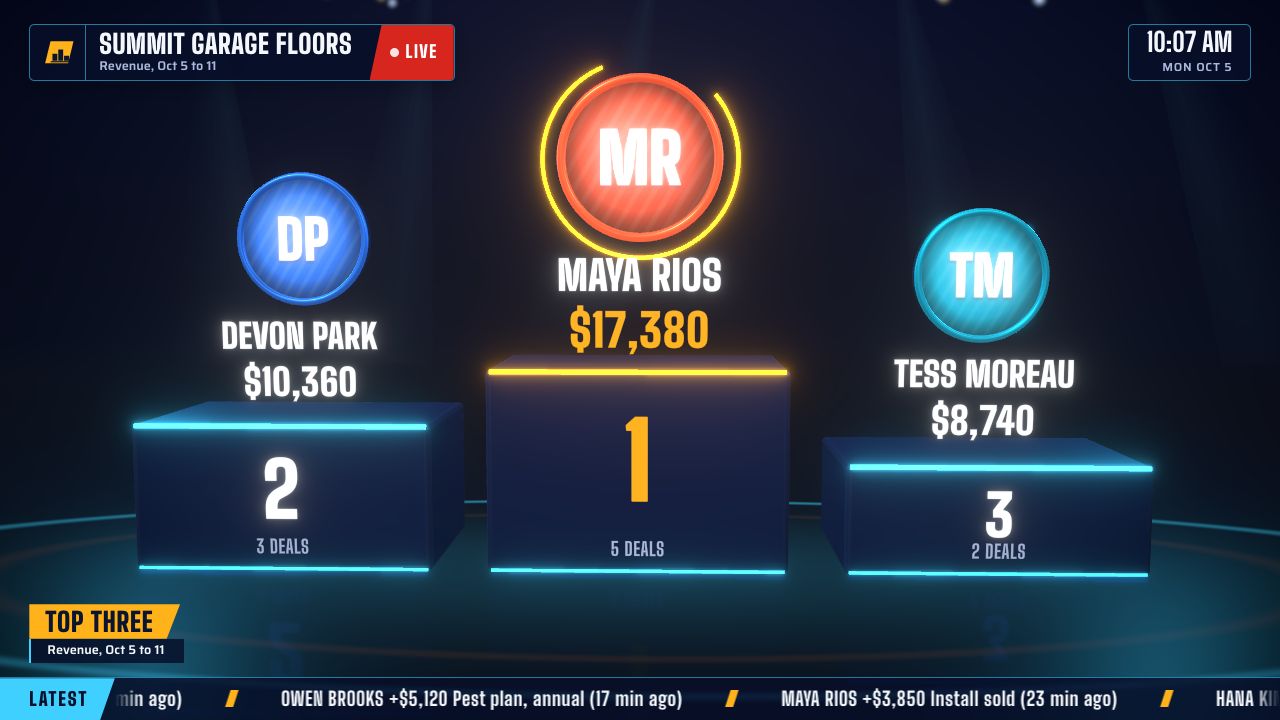
The top three stand on a lit podium with their photos or initials, while a light sweeps across.
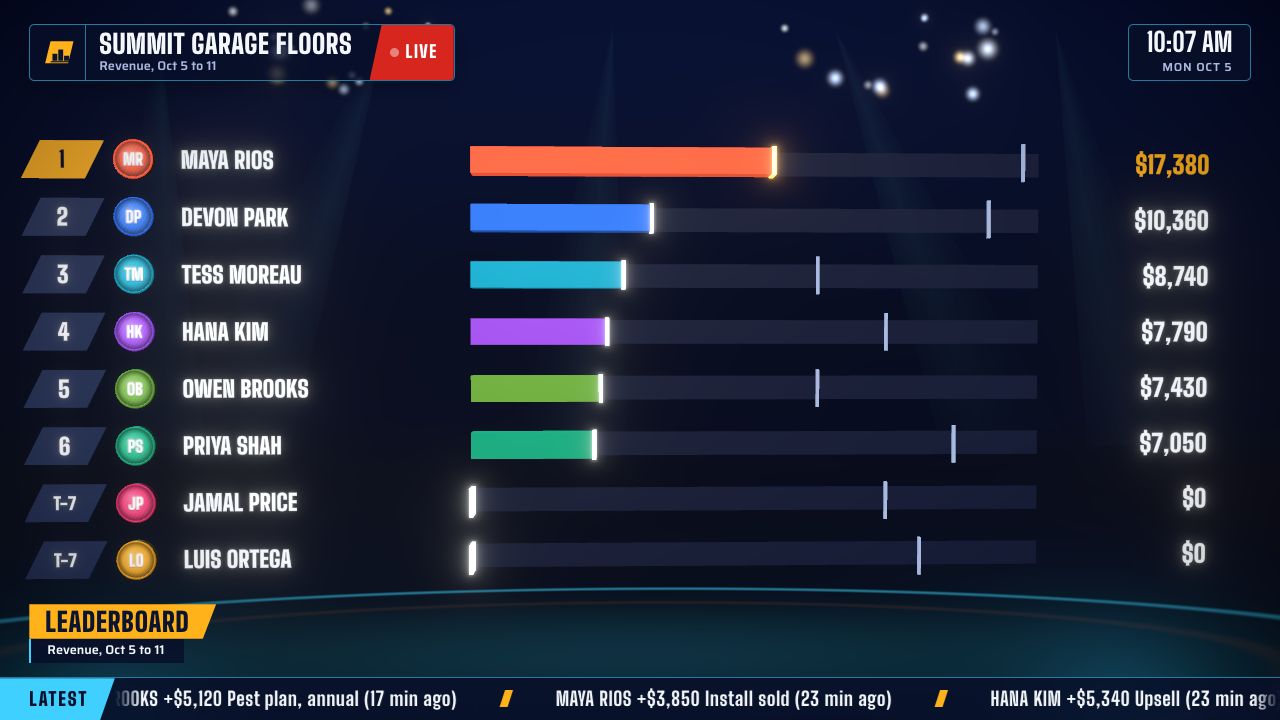
Every rep is a bar racing toward the lead. When someone passes a teammate, the two rows trade places on air.
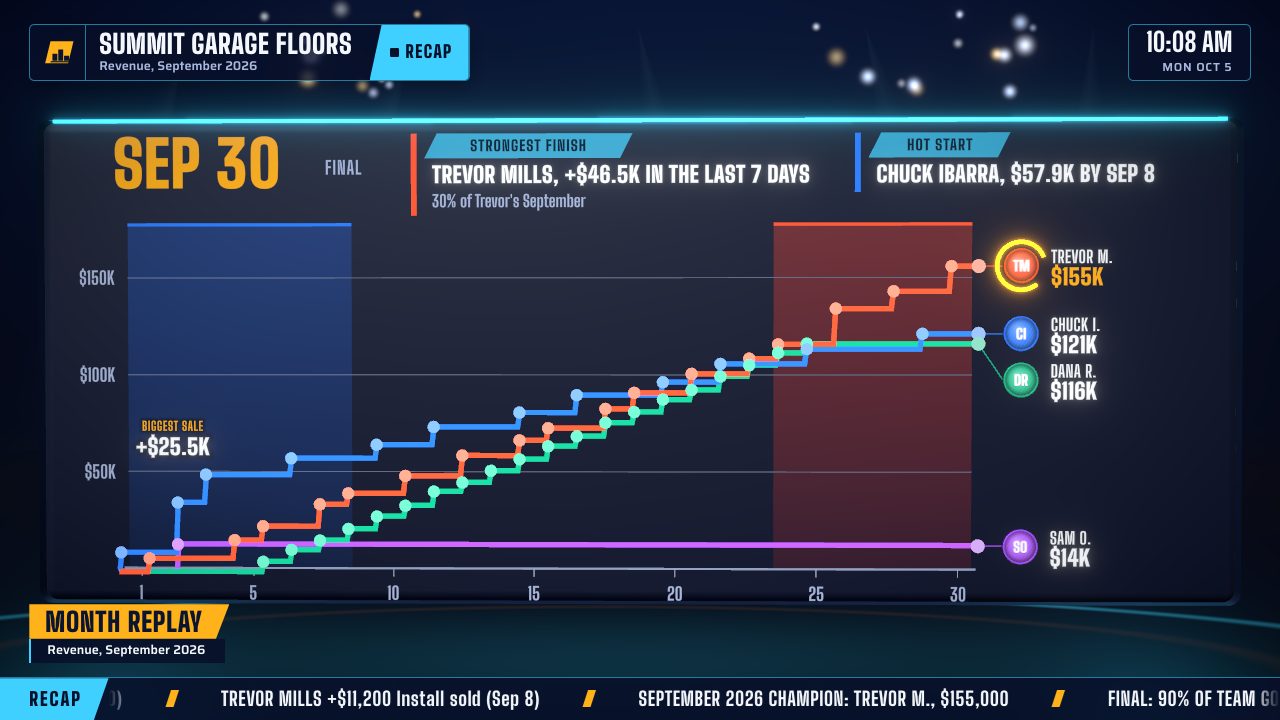
At month end, the month plays back day by day, every sale on its rep's line, then names who finished strongest.
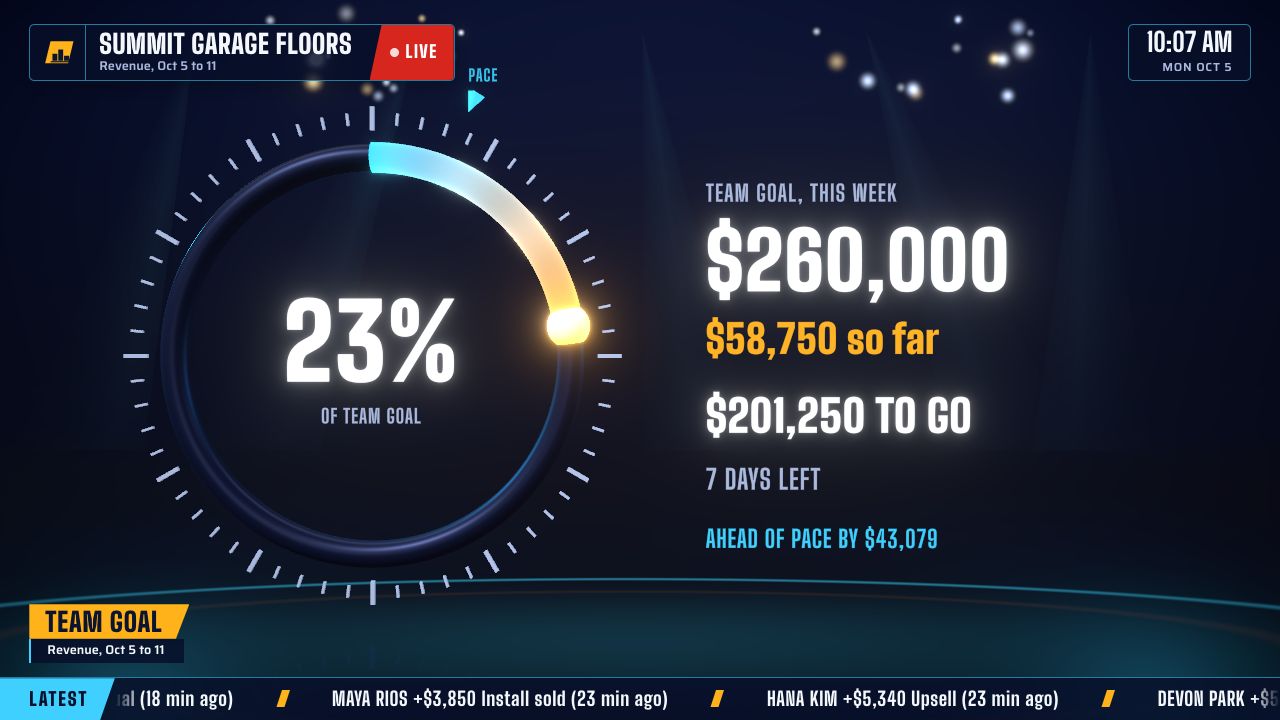
One ring fills toward the target, with what is left to close, days left in the period and a pace marker.
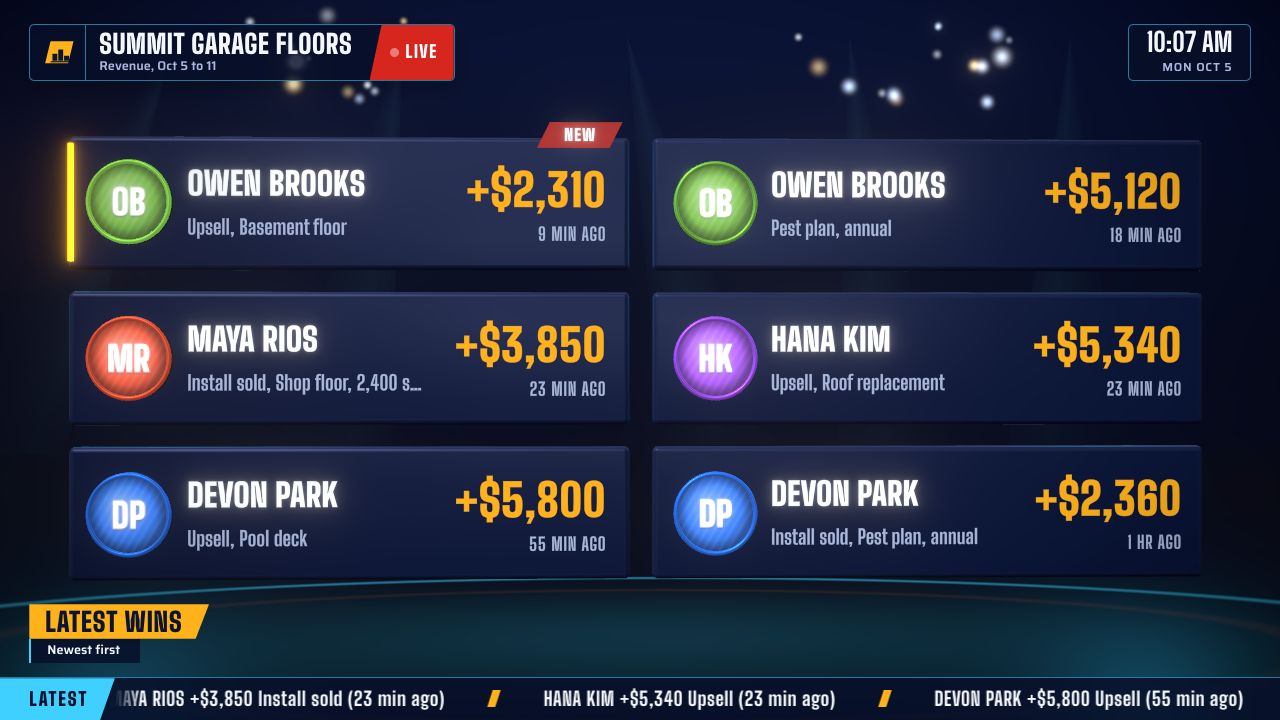
The newest wins fly in as cards: who, how much and how long ago.
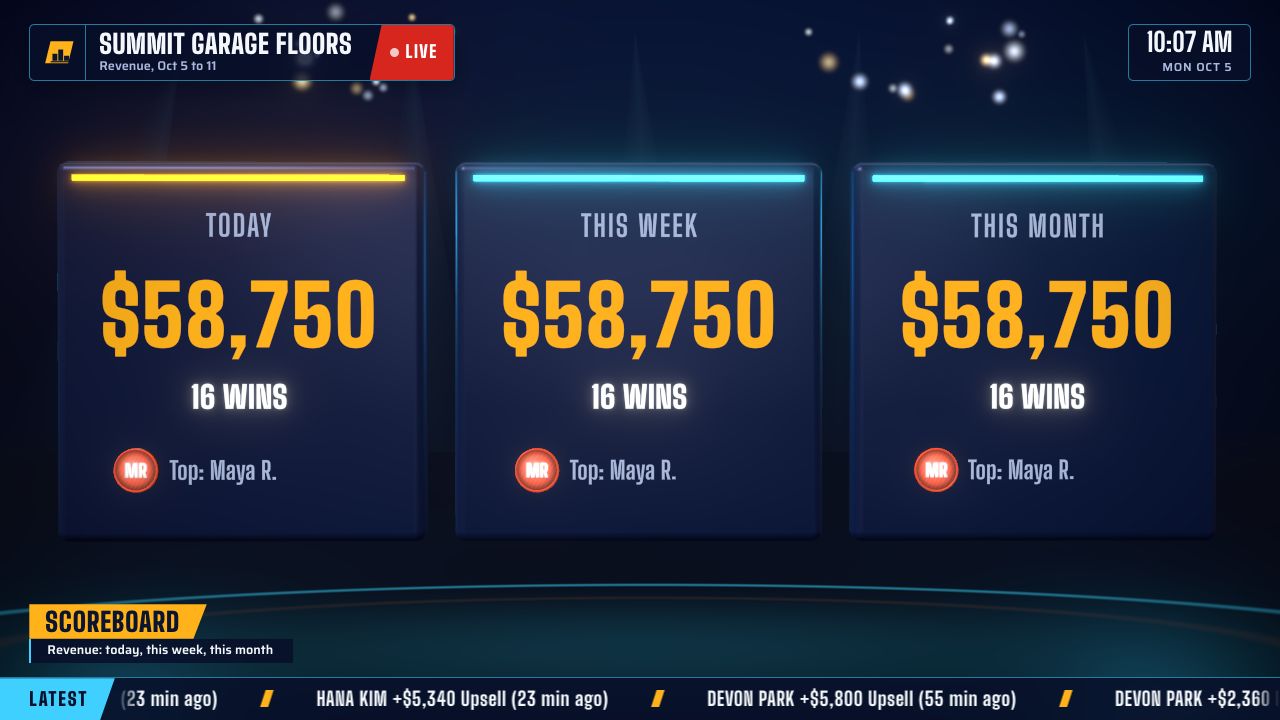
Today, this week and this month at a glance, with the top rep in each.

Every win takes over the screen for six seconds: a camera swoop, the rep's name in big 3D type, the amount counting up, confetti, and a sound you pick. Several wins at once queue up and play one after another.
Hear the sounds. Each one is synthesized live, no audio files.
Three looks: Arena (night game), Daylight (bright office) and Gold (black and gold). Try them on the board at the top.
Point a second link at last week or last month and the board becomes a recap: final standings, the biggest wins, the period against the one before, and the Replay.
The Replay races the whole period back day by day in about 20 seconds. Lines climb with every sale, lead changes flash, and it lands on the strongest finish and the hot start, the two stories every sales meeting wants to tell.
Any team that ranks people by a number can run it. These are the floors it was made for.
Revenue sold and jobs by closer, with the job type on every win: roofing, HVAC, windows, remodeling, garage floors.
Funded volume and units by loan officer, the month's goal with pace, and the bell for every funding.
Written premium and policies by producer, through the month or the quarter.
Closed volume and transactions by agent, with the month's goal for the office.
Units sold by salesperson, with gross as the second number.
Appointments set or meetings booked today, by rep, with a sound for every one.
GoalHorn has no server and no accounts. That is a feature.
The TV reads your Google Sheet directly. Your wins never reach Levology Labs.
No accounts, passwords or user lists to manage. A link opens the board.
The board needs a name and a number. Customer names, addresses and deal details can stay out of the sheet.
Your license key is verified in the browser, with no call home.
Not per rep and not per screen. Monthly, cancel any time.
$0
Try it on one screen.
$49/month
One sales floor, any number of reps.
$149/month
Several teams, offices or metrics.
Want to try Team or Floor first? Ask for a 14-day trial key.
Yes, through a spreadsheet. Have Zapier or Make add a row to a Google Sheet whenever a deal is won, and GoalHorn reads the sheet. HubSpot, Salesforce, Pipedrive, Zoho CRM, Close, Jobber and most other CRMs can do that, and GoHighLevel workflows can add the row themselves.
A dashboard tells the floor the numbers. GoalHorn makes the floor want to move them: it celebrates every win, from any CRM, on every plan, and runs on the TV you already have. Keep the dashboard on the operations screen if you like and give the sales floor its own. See GoalHorn and Geckoboard side by side.
Any screen with a current browser: a smart TV browser, a Fire TV Stick with Silk, a Chromecast with Google TV, or a mini PC or old laptop on HDMI. Very old TV browsers without WebGL 2 cannot run it. A TV stick mode keeps cheap devices smooth.
From a sheet shared by link, within 30 seconds of the row landing. A sheet published to the web can take up to about 5 minutes, because Google caches published sheets. Logged with + Win in GoalHorn, it shows at once on a TV opened from the same browser.
Yes, with a Google Form: two questions, rep and amount, that add a row to the sheet the board reads. The + Win buttons in the app are for the computer that runs the TV.
As many as you like. Open the same TV link on every screen in the office, and on reps' phones. There is no fee per screen.
In your browser and in your own sheet. GoalHorn has no server and no accounts, so your wins never pass through us.
After you pay, you get a license key by email. Paste it under Plan in GoalHorn. Keys are checked in the browser, so they work offline, and TV links you copy afterwards carry your plan.
Any time. Your board keeps running on the free plan.
Free, practical and written for the floor, whether or not you use GoalHorn.
Six rules, six examples and how to choose leaderboard software.
What to put on the screen, which TV hardware works and how live it gets.
An Excel workbook and Google Sheets formulas, ready to download.
Races, team goals, games and seasonal themes, with names for every month.
The mechanics from lightest to heaviest, and what backfires.
The five kinds, the examples worth a screen and how to choose.