A recruiting leaderboard for the billings board on the wall.
Recruitment agencies have always kept a billings board: placements and fees by consultant, the month's target and a bell for every deal. GoalHorn puts that board on the office TV, live from a Google Sheet your ATS or your team fills, and gives every placement a full-screen moment the whole floor sees.
Free for up to 5 reps. No account, nothing to install.
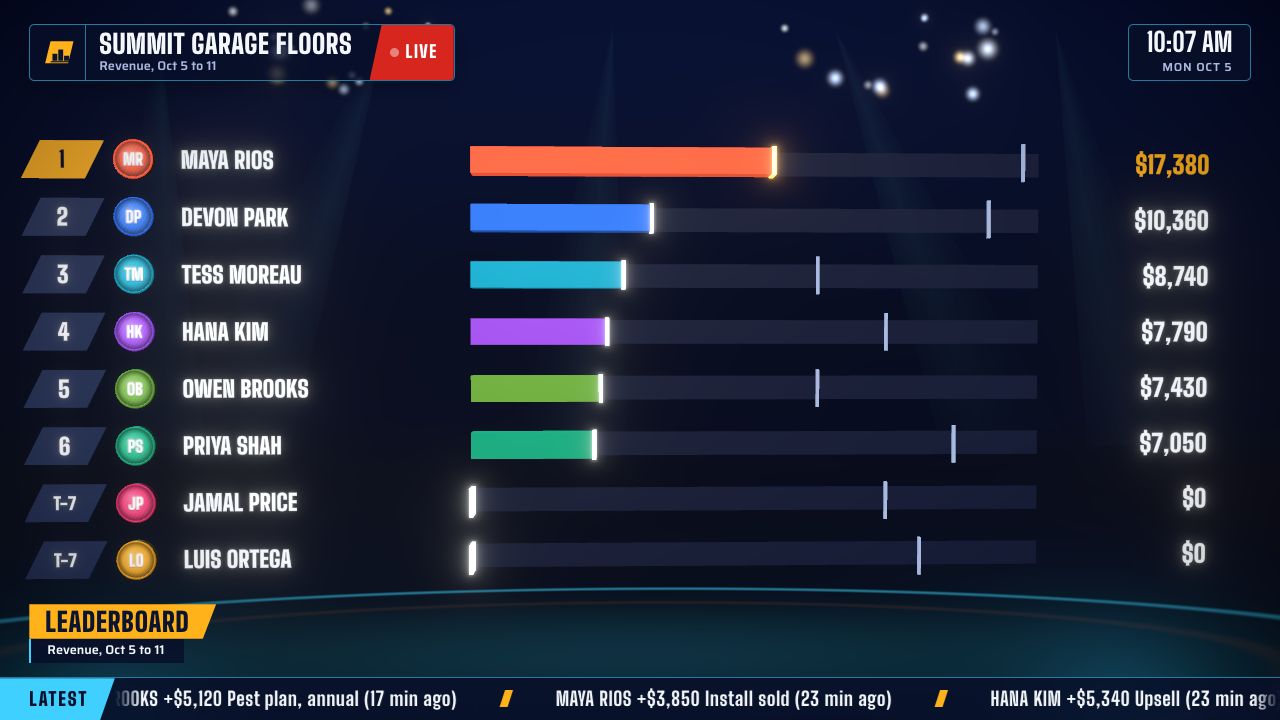
What goes on a recruitment board.
The billings board, minus the marker pens, plus a moment for every placement.
Billings by consultant
Everyone ranked by fees billed this month, with placements under each name when seven or fewer share the screen.
The desk's target, with pace
One ring for the team's billings target, with what is left and whether the desk is ahead of pace.
A moment for every placement
The consultant's name full screen with the fee, confetti and the bell, with Perm or Contract and the role.
The latest placements
Who placed which role, and how long ago. Never the candidate's name, and the client only if that is public.
Activity on its own board
Interviews or submittals, counted one per row, on a second board on the Floor plan.
Columns GoalHorn already understands.
Name your columns like this, or keep your export's names if they appear under Also accepted.
| Column | What it does | Also accepted |
|---|---|---|
| Placement Date | When the placement counts toward the week, month or quarter. Add the time if your system has it. | Placed Date, Date |
| Recruiter | Who gets the placement on the board. | Consultant, Owner, Rep |
| Fee | The main number: billings. Leave it out to count placements instead. | Billings, Placement Fee, Amount |
| Type | Rides along with each celebration, like Perm or Contract. | Category, Label |
| Job Title | Shows with each celebration. The role, never the candidate's name. Without a Job Title column, a Client or Company column shows instead, so delete those first. | Role, Position, Job |
No log yet? Start from the free sales tracker template and rename the columns.
Where the placements come from.
GoalHorn reads a Google Sheet every 30 seconds. Anything that can add a row can keep the board current.
Your ATS or CRM
If it has a Zapier or Make app, add a step that writes a row when a placement is made.
A two-question form
Consultants log their own placements from their phones with a Google Form that writes to the sheet.
The team lead
Adds a row per placement: date, consultant, fee. The floor sees it before the next call starts.
Then the TV
Paste the board's TV link into the office screen's browser and press Start once. See which TV hardware works.
Recruitment contest ideas for the board.
Races that fit a billing cycle. More in 25 sales contest ideas.
The billing race
Billings for the month, top three win. The classic, now with the standings live.
Quarter-end sprint
A This quarter board against the desk's target, with the ring showing what is left to bill and the pace marker where the desk should be by now.
Interview week
Most interviews arranged this week, on an activity board (Floor plan) where every row counts as one.
Rookie desk
First-year consultants on their own board on the Floor plan, racing each other, not the top billers.
Perm against contract
Two desks, two boards on the Floor plan, each reading its own tab, one target each.
Ring the bell
The bell for every placement. It is what the floor has done for decades, now automatic.
One flat price for the whole agency floor.
Not per consultant and not per screen. Monthly, cancel any time.
Free
One board for up to 5 reps, with the podium, race and goal scenes and a celebration for every placement.
Team, $49 a month
Every consultant on the board, every scene including the Replay, every look and sound, and no GoalHorn mark.
Floor, $149 a month
Up to three boards for desks, offices or activity, your own celebration sound, and rotating between two numbers.
Want to run it on your own floor first? Ask for a 14-day trial key.
Recruiting leaderboard questions.
What is a recruitment billings board?
The board in a recruitment agency that shows each consultant's billings and placements for the month against the desk's target. Agencies have kept them on whiteboards for decades; a TV board updates itself and celebrates every placement.
Should fees be on the office TV?
Many agencies show billings openly, since that is how the floor keeps score. If yours does not, rank by placements instead and keep fees for one-on-ones.
Can perm and contract have their own boards?
Every placement shows Perm or Contract with its celebration. For separate standings, run a board for each on the Floor plan (up to three boards), each reading its own tab of the log.
Does it work with our ATS?
Through a Google Sheet. If your ATS or CRM can add a row through Zapier or Make, the board updates on its own. Otherwise a consultant logs each placement with a two-question Google Form, or the team lead adds the row.
Can recruiters working from home see the board?
Yes, when the board reads a Google Sheet: its link opens on any laptop or phone, so remote consultants see the standings and every placement too.
Put the billings board on the TV.
Free for up to five consultants. $49 a month flat for the whole floor.